
 Now available for macOS
 Never lose a mix again
You've been tweaking a mix for hours. It sounded perfect three saves ago — but now it's gone. MixRestore quietly tracks every save of your Ableton Live projects, so you can always get back to the version that felt right.
Then $39.99 for a lifetime license. No subscription.
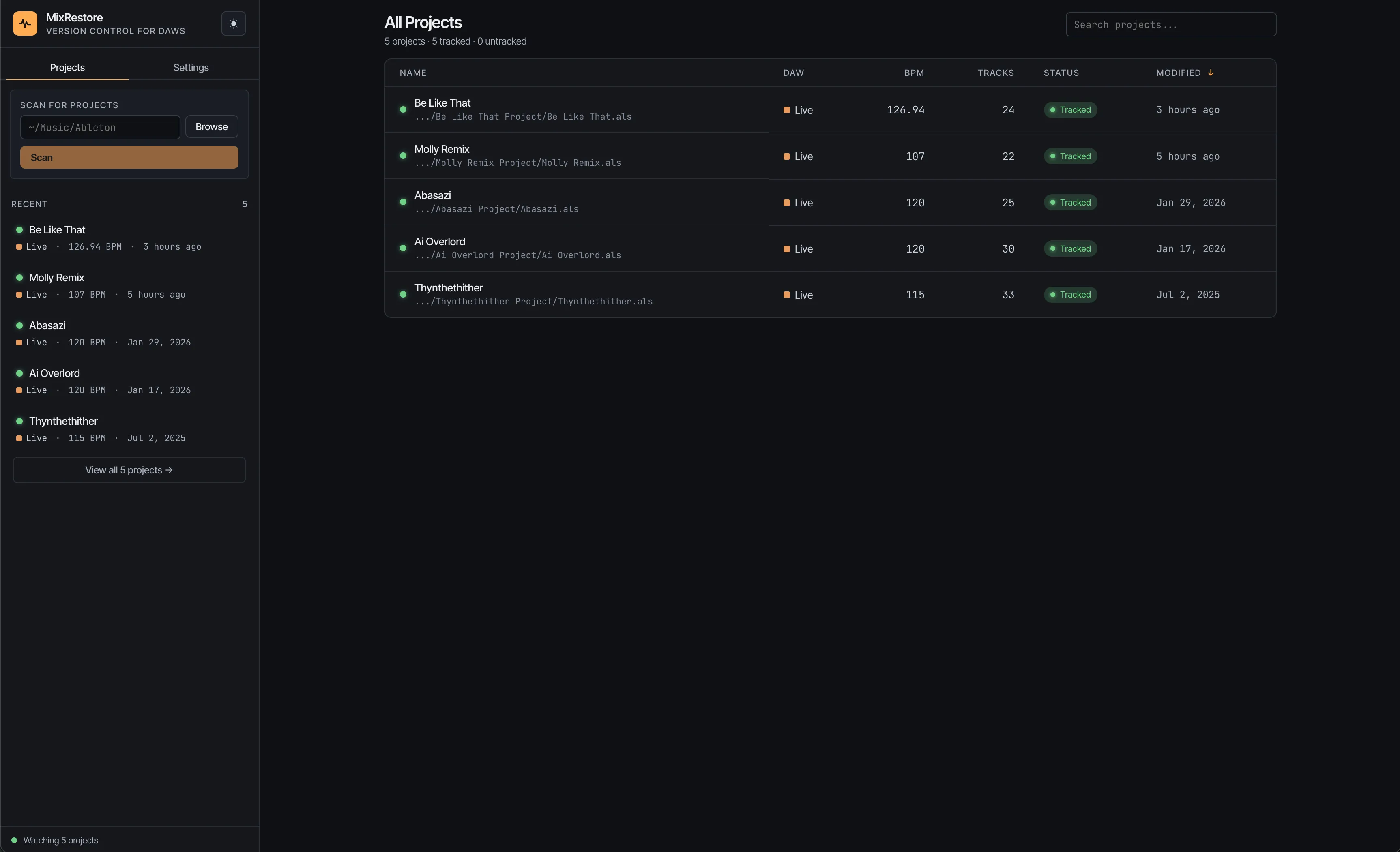
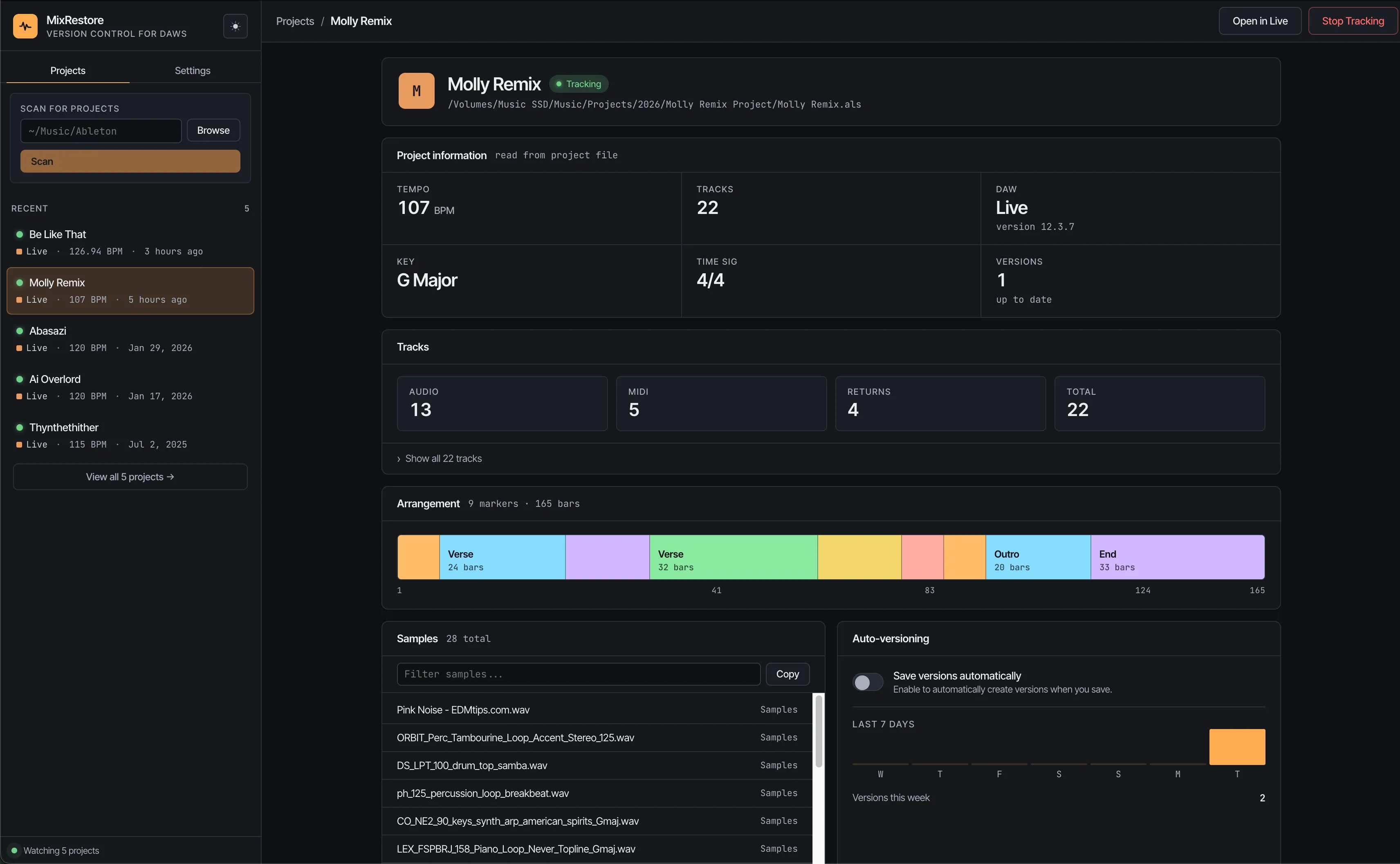
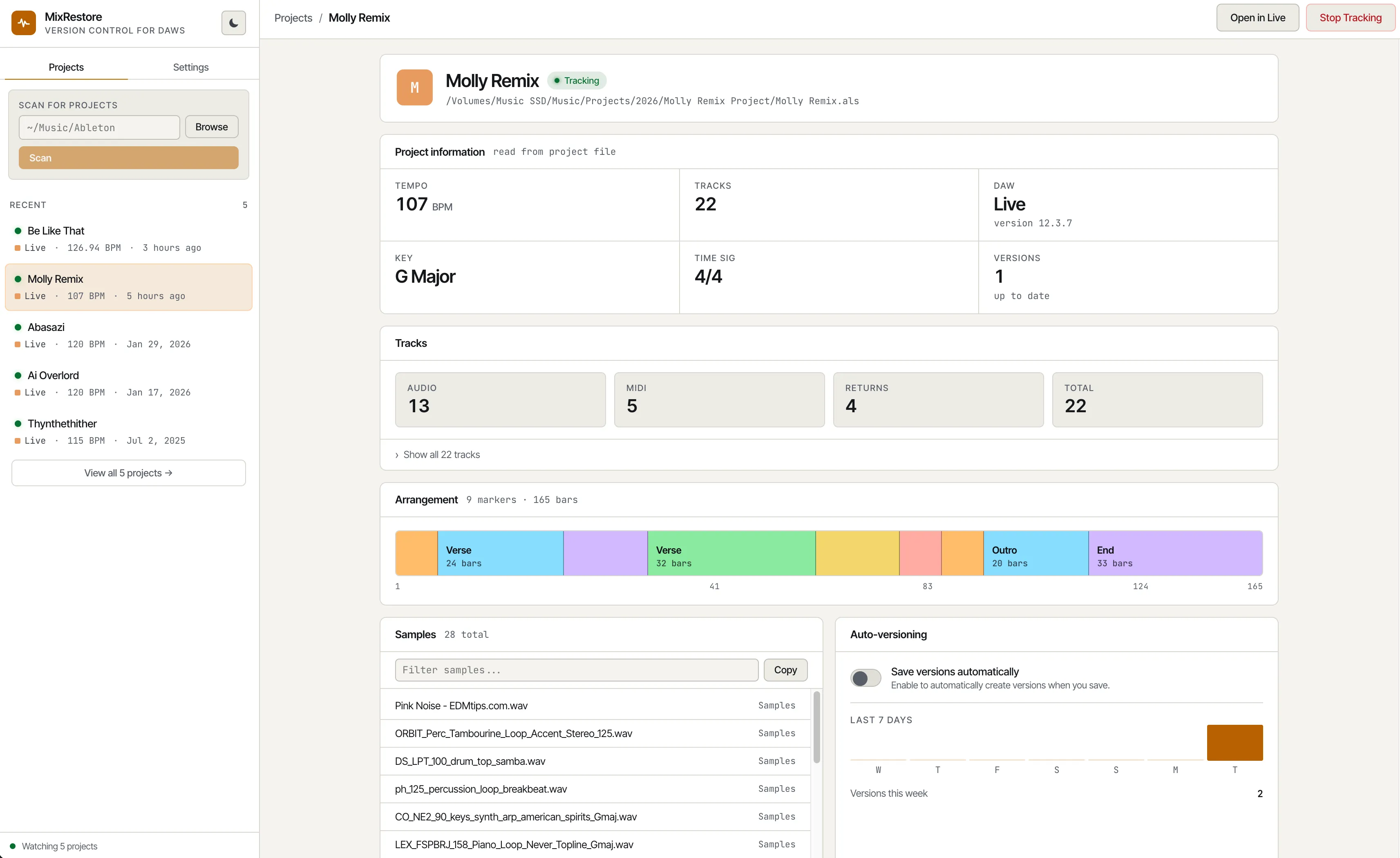
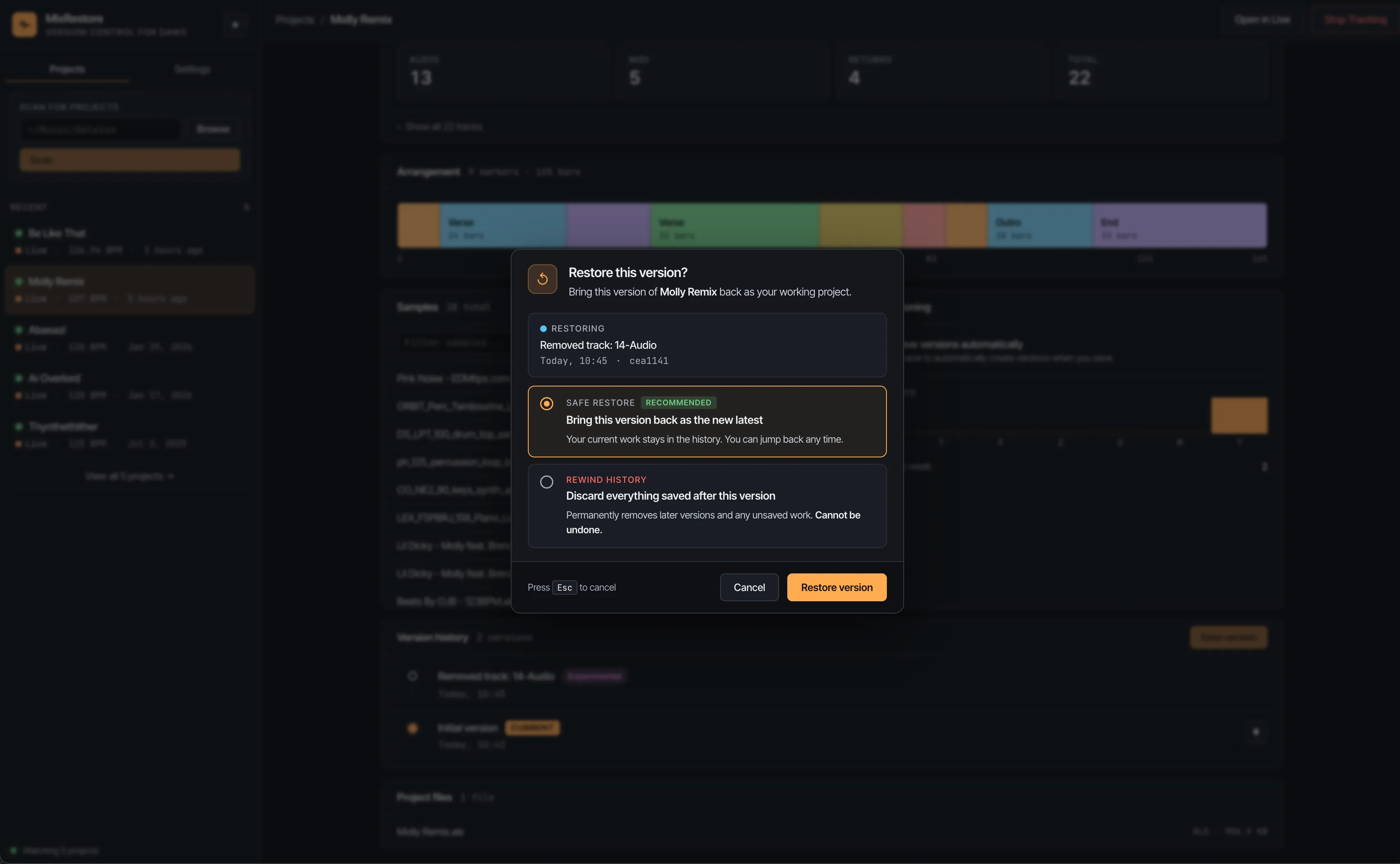
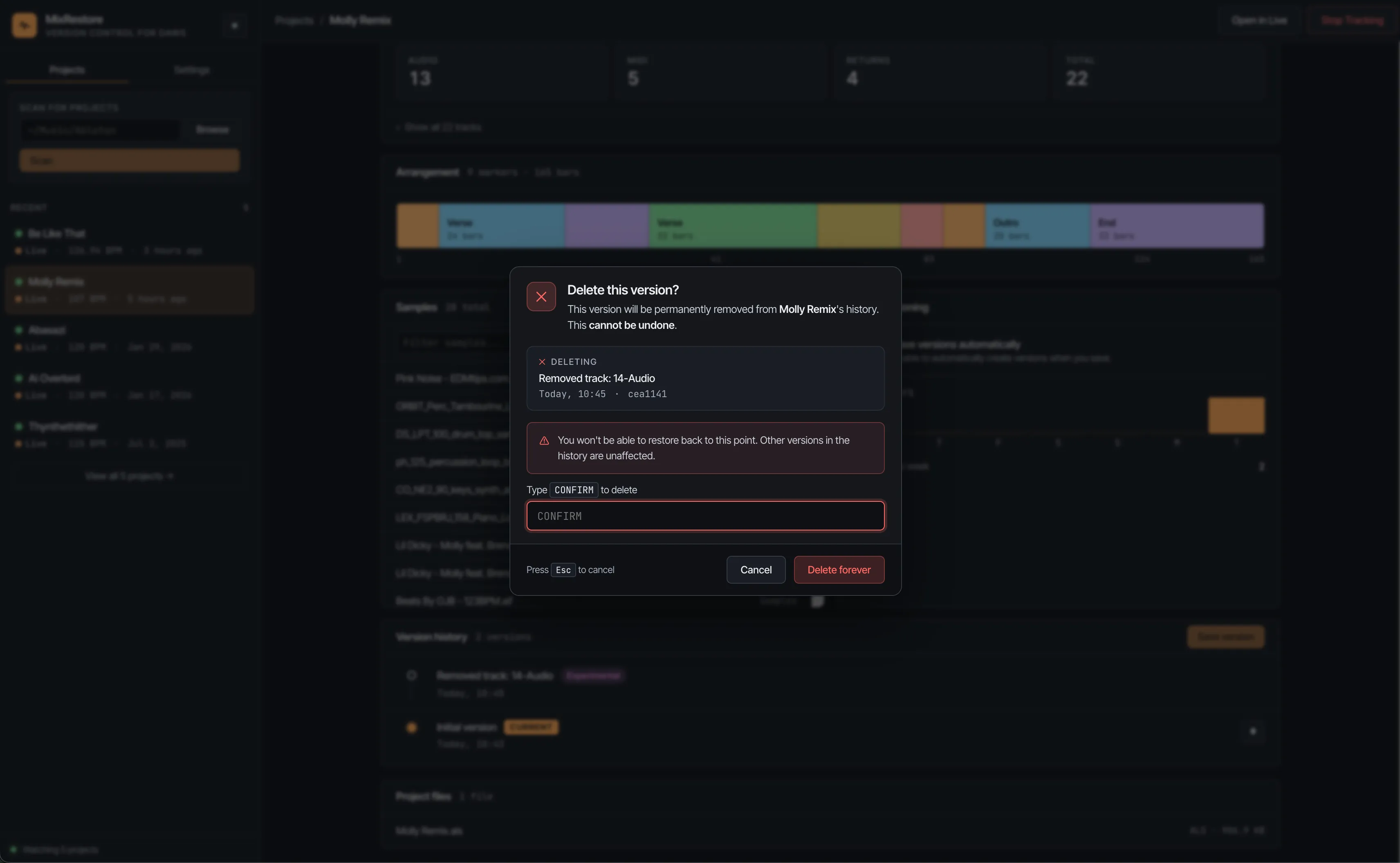
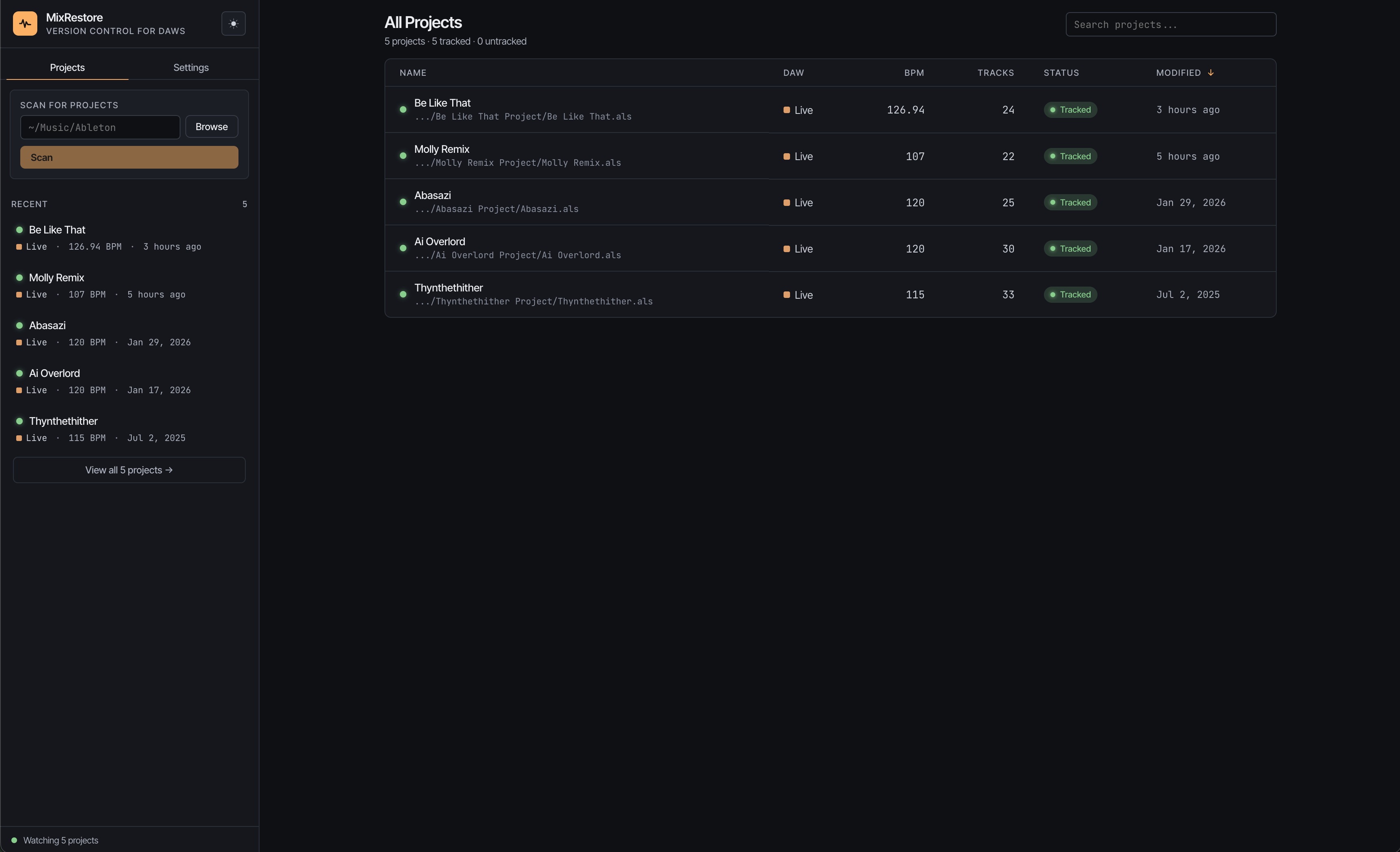
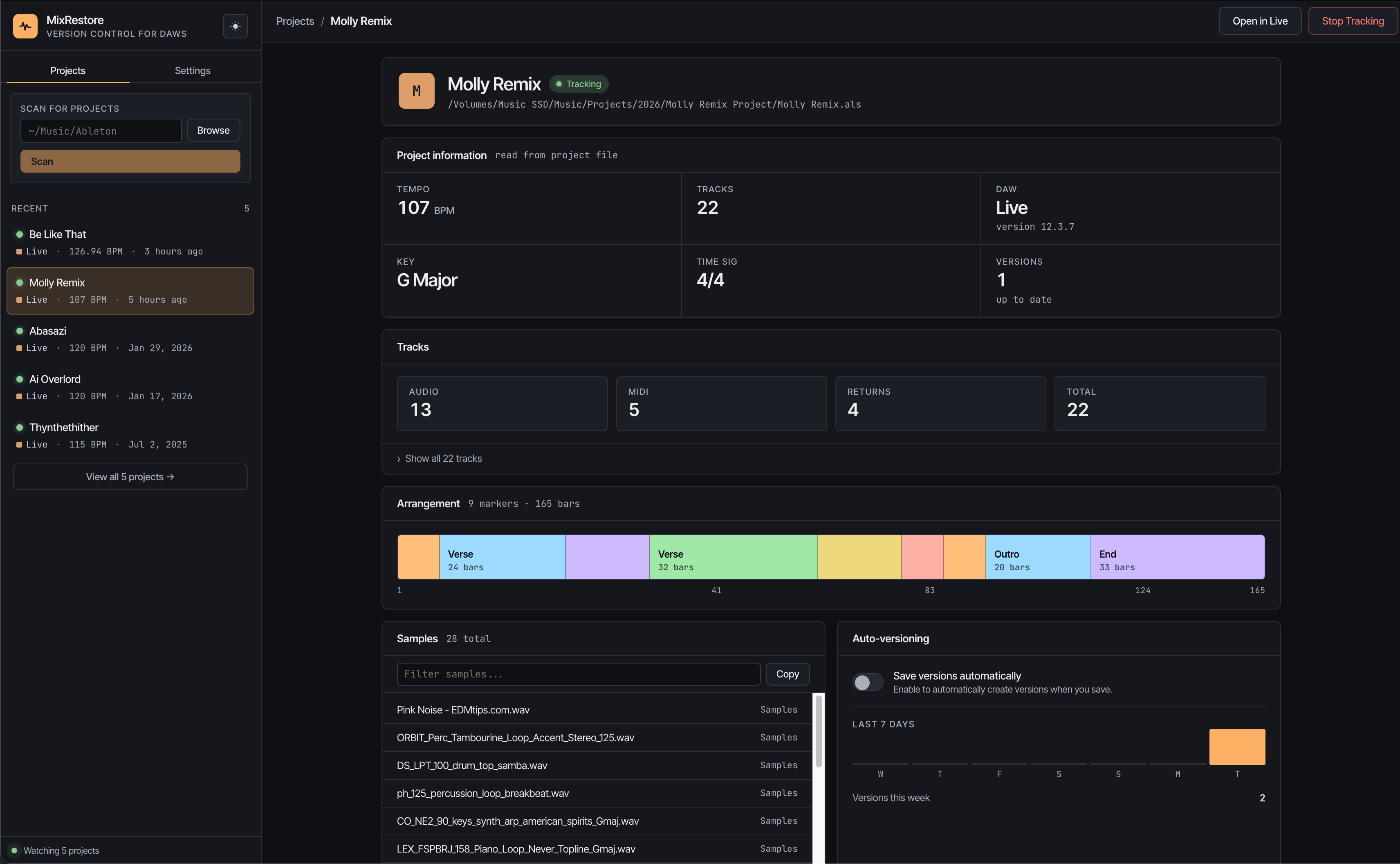
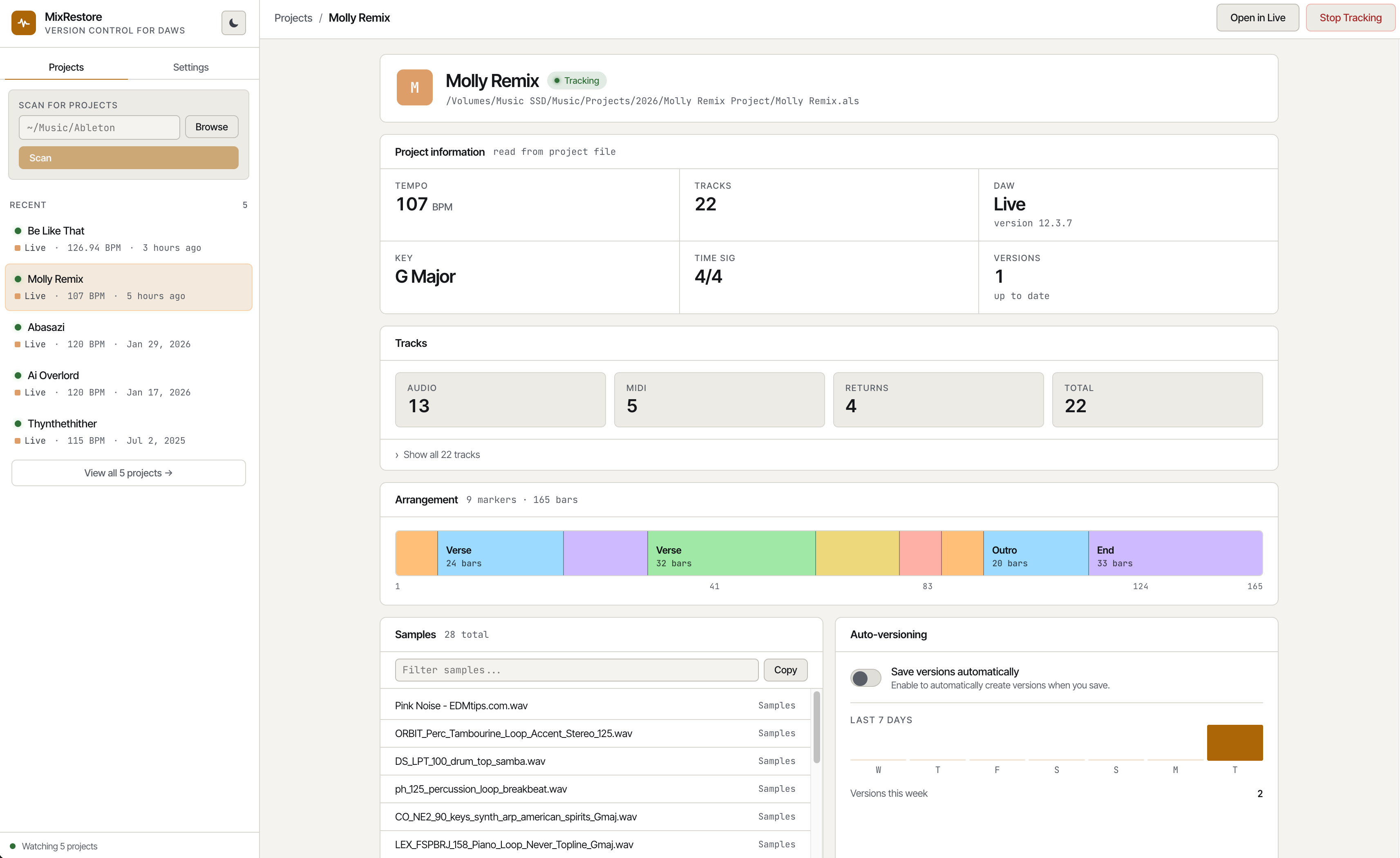
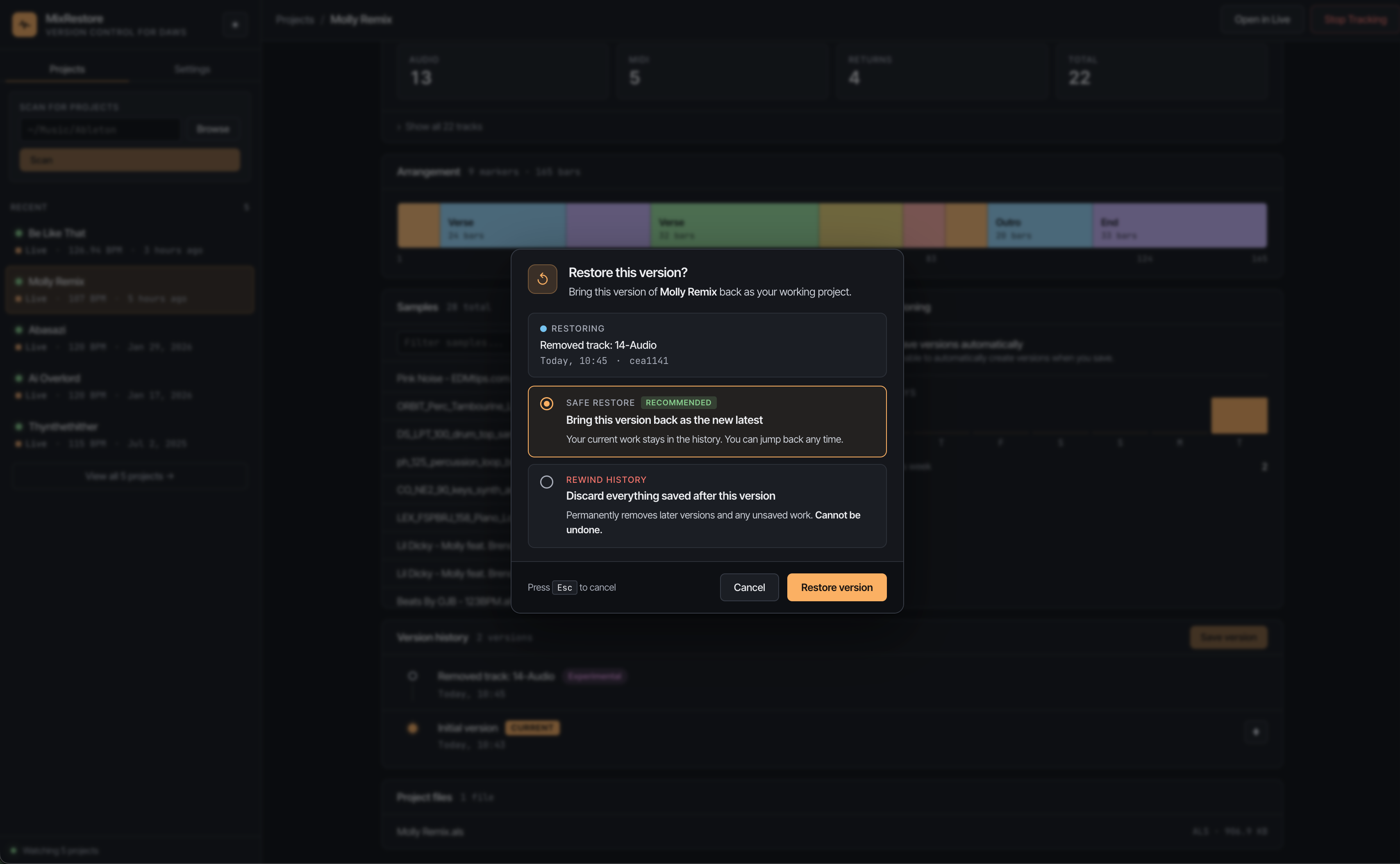
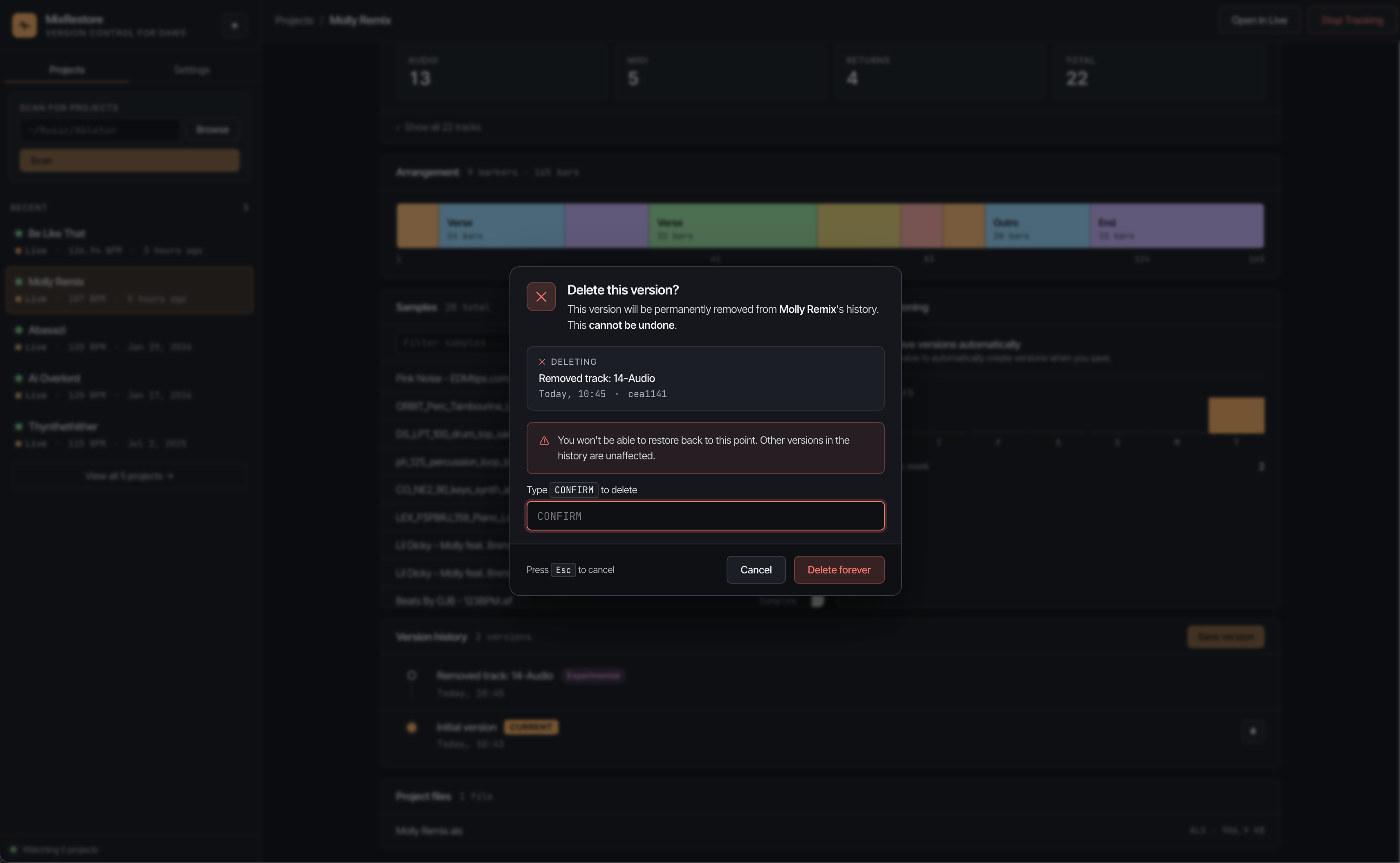
See it in action
Built for your workflow
MixRestore understands DAW projects. No terminal, no manual saves — just music.
Automatic versioning
Every time you save, MixRestore captures a snapshot. No extra steps, no interruptions to your creative flow.
Project insights
See BPM, key, time signature, track counts, samples, and arrangement at a glance for every version.
Instant restore
Roll back to any previous version with one click. Safe mode keeps your current state; hard mode replaces it entirely.
Version tags
Label important milestones — drafts, approved mixes, finals, experiments. Find the version you need instantly.
Native macOS app
Runs quietly in the background. Detects Ableton Live automatically and starts tracking when you work.
Arrangement view
Visualize your project's arrangement sections and locators directly in the version history timeline.
How it works
Add your project
Point MixRestore at your Ableton project folder, or let it scan your system for existing projects.
Keep working
MixRestore watches for changes in the background. Every time you hit save, a new version is captured automatically.
Explore your history
Browse every version with full metadata. Compare changes, tag important milestones, or restore any point in time.
Stop losing the mix that sounded right
Works with Ableton Live 10, 11, and 12. Try free for 7 days.
Start your free trial